Welcome To Flow Fusion
Support Center
Here to Assist You Every Step of the Way
Best Practices for SMS deliverability and Avoiding SMS Restrictions
Last Update: January 2024
Please Note:
As soon as the account will hit the temporary suspension all upcoming outbound
SMS will be failed till 00:00 AM UTC.
What should you do do when we get a violation email?
Stop all your workflows, campaigns, triggers, and/or bulk actions to contacts who have not explicitly opted in to receive messages from you.
What are error and opt-out rates and good to have a threshold?
A High Opt-Out Rate indicates that contacts receiving your messages have objected, generated complaints, or marked your SMS as spam. A good opt-out rate is typically in the range of 0—1%. Once the opt-out rate hits 2%, your account will be locked for sending text messages for 24 hours.
A High Delivery Error Rate indicates that you are sending SMS to contacts that are no longer in service, are unreachable, or use a non-SMS-capable device such as a landline. This may also mean that external carrier filters are refusing to deliver your SMS due to bad sending behavior in the past. A good error rate is typically in the range of 0—6%. Once the error rate hits 12%, the sub-account will be locked for sending text messages for 24 hours.
What do I do to get the suspension removed early?
The suspension will be lifted in 24 hours. Please refer to the article Why is your account suspended.
Please Note:
One on One conversation, Test SMS, Resend Message, are allowed even if the account is suspended.
How to prevent future SMS suspension
You should be able to send SMS after 00:01 AM UTC the next day. You can check the best practices below on how to reduce the error rate:
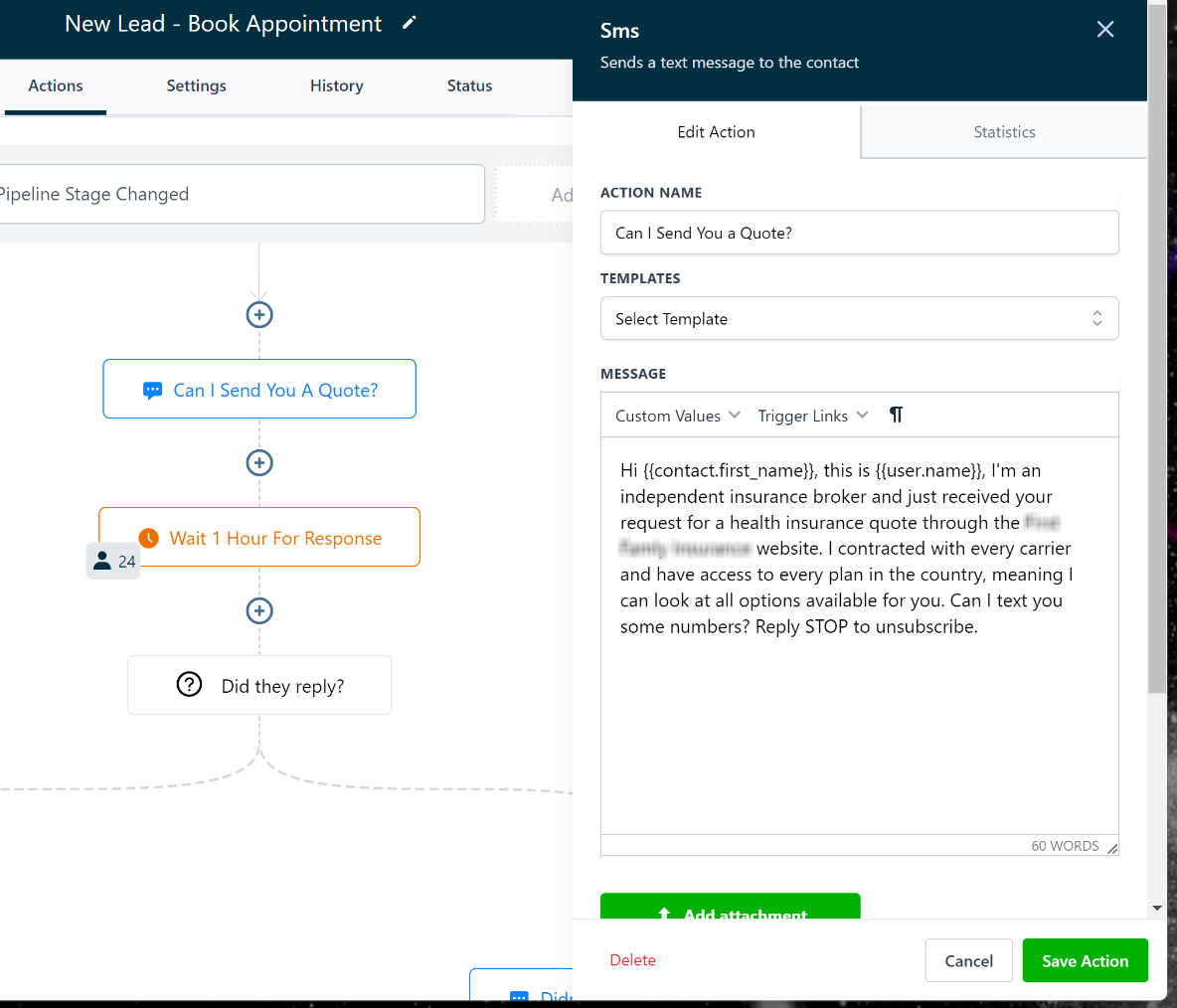
1. Add Opt Out language (reply STOP to unsubscribe) in all the first SMS sent to a new contact -
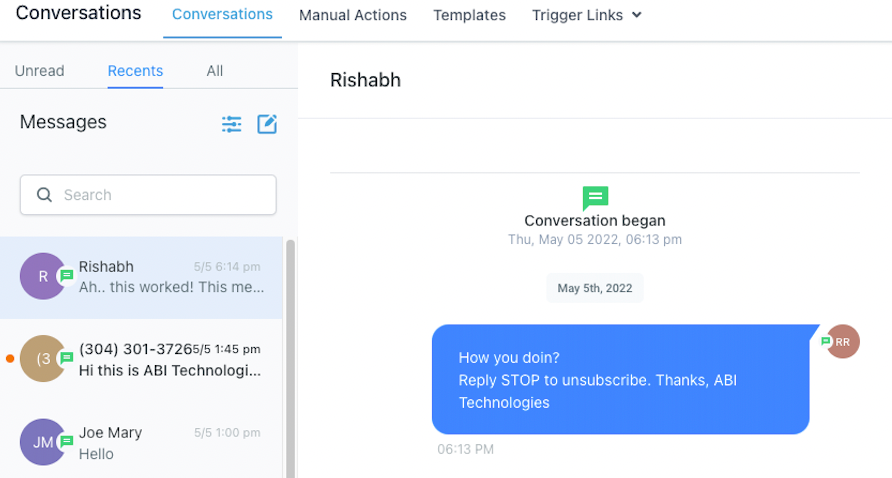
2. Add Sender information (Introduction of yourself/company) in all the first SMS sent to a new contact-
3. Do not send messages to SMS-incapable devices like landlines, Ask Support to Enable the Number Validation feature for this. This feature will look up the number before sending out the message and enable and temporary DND on the contact.
Note: That number validation comes with additional cost per phone number
4. Avoid sending URLs shortened using a public URL shortener like bit.ly or rb.gy, instead send the original fill link.
5. Make sure not to use restricted words and update your messages from time to time preferably if you're running multiple campaigns.
Good to Have's
1. On your first message add the source of how your leads opt in.
2. Add Opt-in language so contacts are actively double opt-in via sms and web form checkbox (reply 1 to subscribe)